

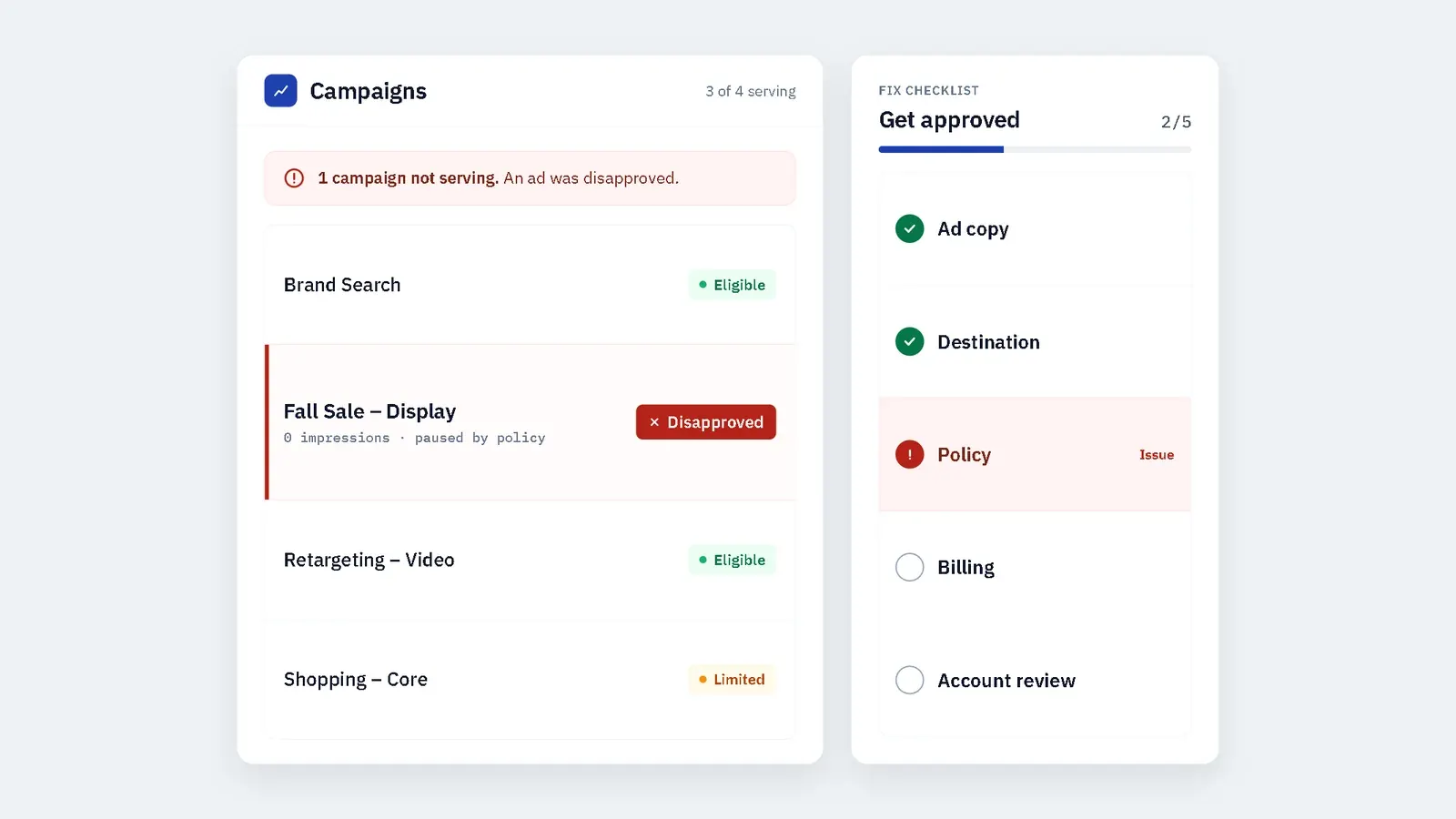
Google Ads Disapproved? 12 Common Reasons and Fixes
Seeing “Google Ads disapproved” in your account can stop a campaign before it starts delivering. A disapproval may relate to the ad copy, destination page, product category, billing details, targeting, or a broader account-level policy issue.
Google reviews ads before they can serve. Its review can include headlines, descriptions, keywords, images, videos, destination URLs, and the landing-page experience. (Google: Google Ads account suspensions overview, Submit a campaign for policy review)
This guide explains the most common reasons Google Ads get disapproved, how to review a disapproved campaign, and what to do before submitting an appeal.
Table of Contents
- What Does Google Ads Disapproved Mean?
- How Google Reviews Ads
- Why Are Google Ads Disapproved?
- Common Google Ads Disapproval Messages
- How to Review a Disapproved Google Ad
- Google Ads Destination Requirements
- Google Ads Disapproval vs Account Suspension
- What to Do After a Google Ad Is Disapproved
- How to Appeal a Google Ads Disapproval
- How to Prevent Future Google Ads Disapprovals
- When to Get Professional Google Ads Support
- Google Ads Disapproved: FAQs
- Final Takeaway
What Does Google Ads Disapproved Mean?
A Google Ads disapproval means Google has determined that one or more elements of your campaign do not meet its advertising policies. The issue may be limited to one ad, or it may relate to the destination page, product category, billing setup, or account history.
Google may review:
- Headlines and descriptions
- Keywords and targeting
- Images and videos
- Final URL and display URL
- Landing-page functionality
- Product claims and disclosures
- Business identity and billing information
- Account-level policy history (Google: Google Ads account suspensions overview, Submit a campaign for policy review)
A disapproved ad is not always a serious account problem. In many cases, the issue is limited to one creative, destination, or policy setting. However, repeated violations can increase the risk of account restrictions or suspension.
How Google Reviews Ads
Google uses automated systems and, in some cases, human review to assess ads and destinations. The review process checks whether the ad, landing page, and advertiser account meet Google Ads policies.
Google says it reviews the content in your ad, including the headline, description, keywords, destination, images, and video. (Google: Google Ads account suspensions overview)
A disapproval does not always mean the advertiser intended to violate a rule. Sometimes the issue is a technical error, unclear landing-page information, restricted targeting, or a claim that needs more context.
Why Are Google Ads Disapproved?
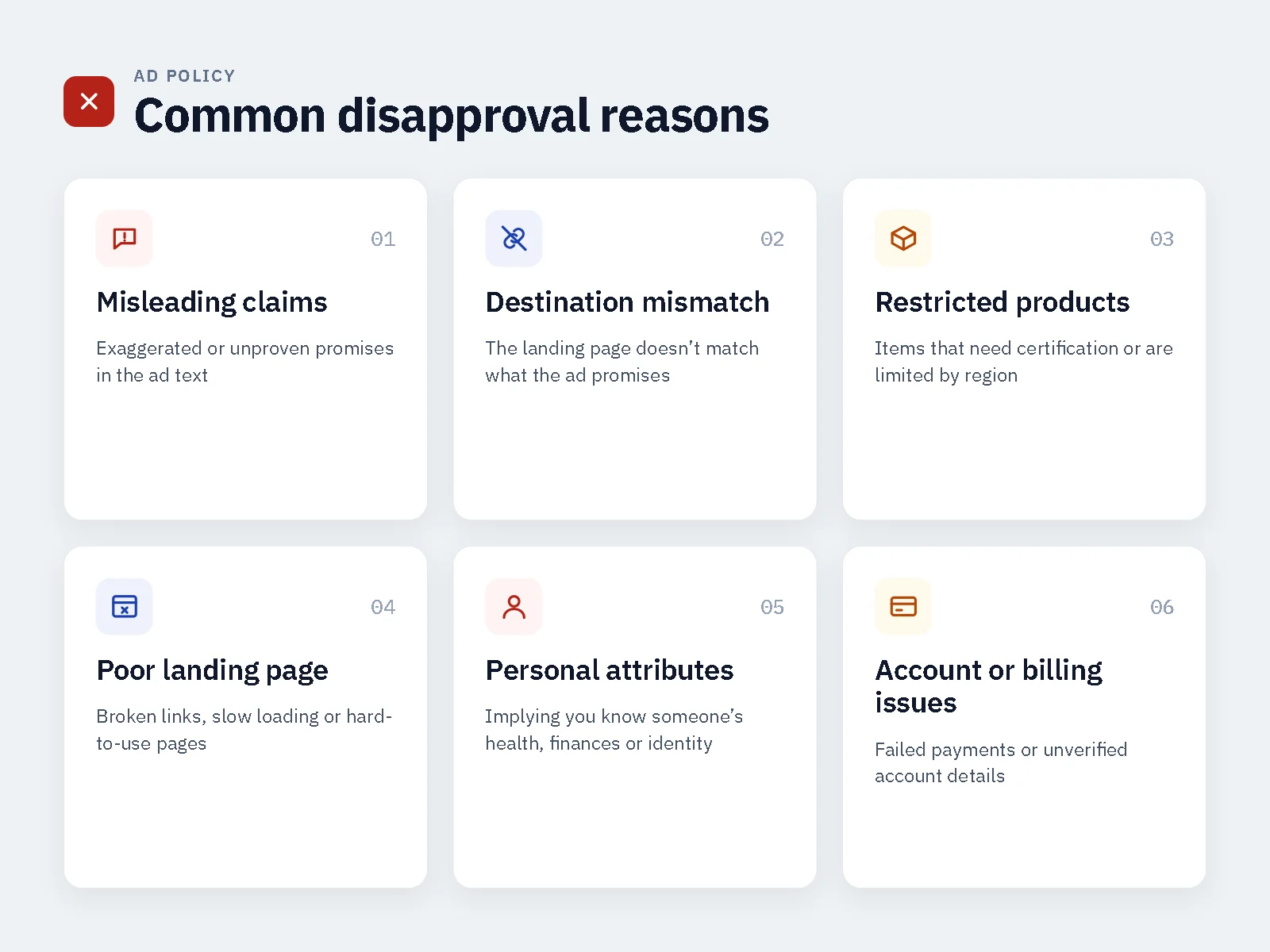
Google Ads can be disapproved for many reasons. The most common issues fall into four areas: ad content, destination quality, restricted categories, and account or billing issues.
Misleading or False Claims
Google may disapprove ads that make exaggerated promises, unsupported claims, or misleading statements.
Examples include:
- Guaranteed investment returns
- Unrealistic health or weight-loss claims
- “Cure” claims for medical products
- Get-rich-quick messaging
- Fake scarcity or false urgency
- Unsupported testimonials
Use clear, accurate language. If you make a claim, make sure the landing page supports it and includes any required disclaimer.
Misrepresentation
Google’s misrepresentation policy covers ads or destinations that mislead users about the product, service, business, or offer.
Common issues include:
- Unclear business identity
- Missing contact information
- Hidden fees or unclear pricing
- Misleading product descriptions
- Fake reviews or testimonials
- Unclear subscription terms
- Misleading download buttons
Make sure users can understand who is behind the offer, what they are buying, and what happens next.
Destination Mismatch
Google Ads requires the ad to accurately reflect the website or app users will reach after clicking. A mismatch between the display URL and final URL can trigger a disapproval. (Google: Destination mismatch policy)
Check for:
- Display URL domain that does not match the final URL domain
- Typos in the final URL
- Redirects to a different domain
- Landing page that promotes a different product
- Price or offer that does not match the ad
- Missing information promised in the ad
Make sure the ad message, offer, price, product, and next step are consistent from click to conversion.
Destination Not Working
Google may disapprove an ad if the destination page is broken, unavailable, slow, or difficult to use. The landing page must be accessible and functional for users and Google’s systems.
Check for:
- Broken links
- 404 errors
- Redirect loops
- Slow loading speed
- Poor mobile layout
- Missing images or scripts
- Login walls
- Region blocks
- Pop-ups that interfere with navigation
Low-Quality or Disruptive Landing Pages
A landing page should be useful, clear, and easy to navigate. Google may disapprove ads that lead to poor user experiences or destinations that do not match the promoted product or service.
Review:
- Mobile usability
- Page speed
- Clear navigation
- Readable text
- Working forms
- Clear calls to action
- Minimal disruptive pop-ups
- Transparent business information
Restricted or Prohibited Products
Some products and services face stricter rules or are not allowed to be advertised. These can include certain healthcare products, financial services, crypto-related offers, gambling products, adult content, tobacco products, and other regulated categories.
Rules can vary by country, audience age, business eligibility, and product claims. Before launching, review whether the offer is allowed, restricted, or requires certification or documentation.
Unacceptable Business Practices
Google may disapprove ads that use deceptive business practices. This can include unclear pricing, hidden fees, misleading offers, fake scarcity, or unclear subscription terms.
Avoid:
- “Free” offers that require unexpected payment
- Automatic subscriptions without clear disclosure
- Fake countdown timers
- Misleading testimonials
- Unclear refund terms
- Hidden fees
- Misleading download buttons
Circumventing Systems
Google prohibits attempts to trick or circumvent its ad review processes. This can include manipulating prohibited words, misleading destinations, or other practices designed to interfere with review. (Google: Submit a campaign for policy review, Appeal a policy-related suspension)
Avoid any setup that shows different content to reviewers and users, hides the real offer, or uses misleading redirects. These practices can create serious account risk.
Personal Attribute Violations
Google may disapprove ads that assert or imply personal attributes about the person viewing the ad. This includes sensitive characteristics such as health condition, financial status, religion, age, gender identity, and other protected categories.
Avoid copy such as:
- “Are you overweight?”
- “Do you have diabetes?”
- “People with bad credit can qualify.”
- “Christians will love this offer.”
- “Single parents need this.”
Instead, describe the offer and its general benefits without assuming or calling out the viewer’s personal characteristics.
Trademark and Intellectual Property Issues
Google may disapprove ads that use trademarks, copyrighted material, or branded terms without authorization.
Check for:
- Competitor brand names in ad copy
- Unauthorized logos
- Copyrighted images or videos
- Misleading use of branded terms
- Trademark complaints
Use original creative and make sure you have permission to use any third-party brand assets.
Billing and Payment Issues
Sometimes the ad itself looks fine, but the account has a billing, payment, or identity-related issue. Failed payments, unclear business details, or account-quality signals can affect campaign delivery and approval. (Google: Billing and payment suspensions)
Check:
- Payment method status
- Billing details
- Business verification
- Admin access
- Account notifications
- Previous policy warnings
Duplicate or Low-Quality Creative
Using the same creative across many accounts, copying competitor ads, or using low-quality images can increase risk. Google may review creative quality, originality, and user experience.
Use original creative where possible. Avoid misleading thumbnails, clickbait images, or visuals that do not represent the actual offer.
Common Google Ads Disapproval Messages
The disapproval message may be general, but it can help you identify the area to review first.
| Disapproval message | Likely area to review |
|---|---|
| Misrepresentation | Business identity, pricing, product claims, or misleading offer |
| Destination mismatch | Display URL, final URL, redirects, or landing-page content |
| Destination not accessible | Broken links, slow pages, region blocks, or poor mobile experience |
| Restricted content | Product category, target country, age restrictions, or claims |
| Unacceptable business practices | Hidden fees, unclear subscriptions, fake scarcity, or misleading offers |
| Circumventing systems | Attempts to interfere with review or hide the real destination |
| Personal attributes | Ad copy that implies sensitive personal characteristics |
| Trademark issues | Unauthorized use of brand names, logos, or copyrighted assets |
| Billing issue | Payment method, billing details, or account verification |
How to Review a Disapproved Google Ad
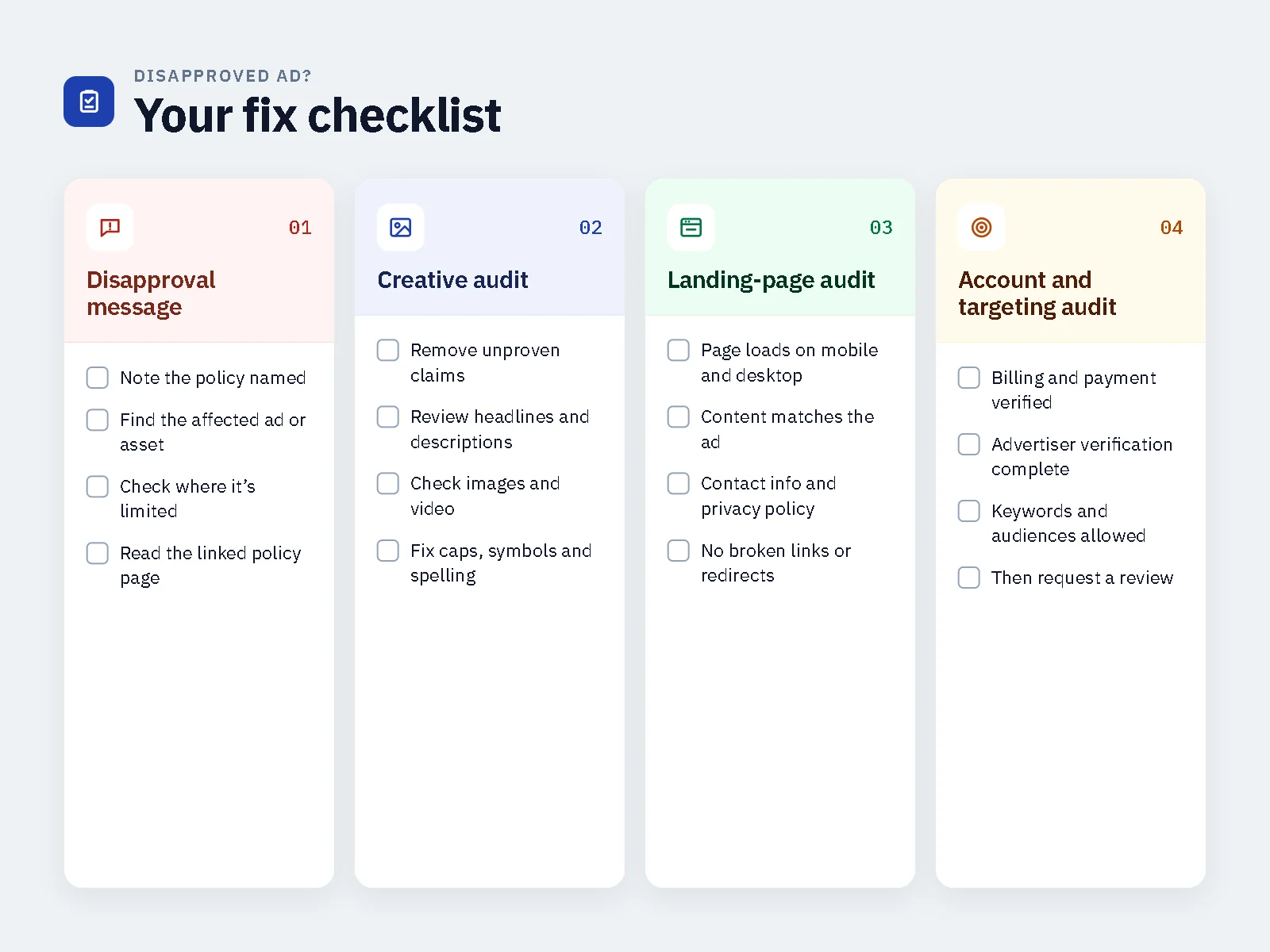
Do not resubmit the same ad immediately. First, identify the likely cause.
Read the Disapproval Message
Google usually provides a policy reason in the account. Look for clues such as:
- “Misrepresentation”
- “Destination mismatch”
- “Destination not accessible”
- “Restricted content”
- “Unacceptable business practices”
- “Circumventing systems”
- “Personal attributes”
- “Trademark”
The wording may be general, but it can help you decide whether to review the creative, landing page, targeting, or account.
Audit the Ad Creative
Review every visible element.
| Element | What to check |
|---|---|
| Headline | Accuracy, clarity, and consistency with the landing page |
| Description | Missing disclosures or misleading details |
| Keywords | Relevance and policy-sensitive terms |
| Image or video | Misleading visuals, restricted content, poor quality |
| Display URL | Whether it matches the final URL domain |
| Final URL | Whether it works and matches the ad |
| Call to action | Whether it matches the landing-page experience |
| Offer | Whether the promoted offer is clear and accurate |
Audit the Landing Page
Review the page as a new visitor would.
| Landing-page area | What to check |
|---|---|
| Business identity | Clear company name and About information |
| Contact details | Email, phone, address, or support method |
| Legal pages | Privacy policy, terms, refund, shipping, and returns where relevant |
| Offer consistency | Same product, price, benefit, and next step as the ad |
| Mobile experience | Responsive layout, readable text, working forms |
| Technical health | HTTPS, working links, acceptable loading speed |
| User experience | No misleading buttons, forced redirects, or disruptive pop-ups |
| Claims and disclosures | Accurate claims, suitable disclaimers, and evidence where needed |
Check Targeting and Account Settings
Review:
- Target countries and regions
- Age range
- Language settings
- Billing status
- Business verification
- Admin access
- Account notifications
- Previous policy warnings
Google Ads Destination Requirements
A Google Ads landing page should give users a clear understanding of the business, offer, and next step. For a full pre-launch review, use our landing page compliance checklist.
| Requirement | What to include |
|---|---|
| Business identity | Company name, About information, and brand details |
| Contact information | Email, phone, address, or support method |
| Legal pages | Privacy policy, terms, refund, return, shipping, or fulfilment information |
| Offer clarity | Product, price, benefits, and next steps |
| Ad-to-page consistency | The page matches the product, price, benefits, and message in the ad |
| Mobile usability | Responsive design, readable text, and working forms |
| Technical quality | HTTPS, working links, and acceptable loading speed |
| User experience | No misleading buttons, forced redirects, or disruptive pop-ups |
| Claims and disclosures | Accurate claims, suitable disclaimers, and supporting information |
Google Ads Disapproval vs Account Suspension
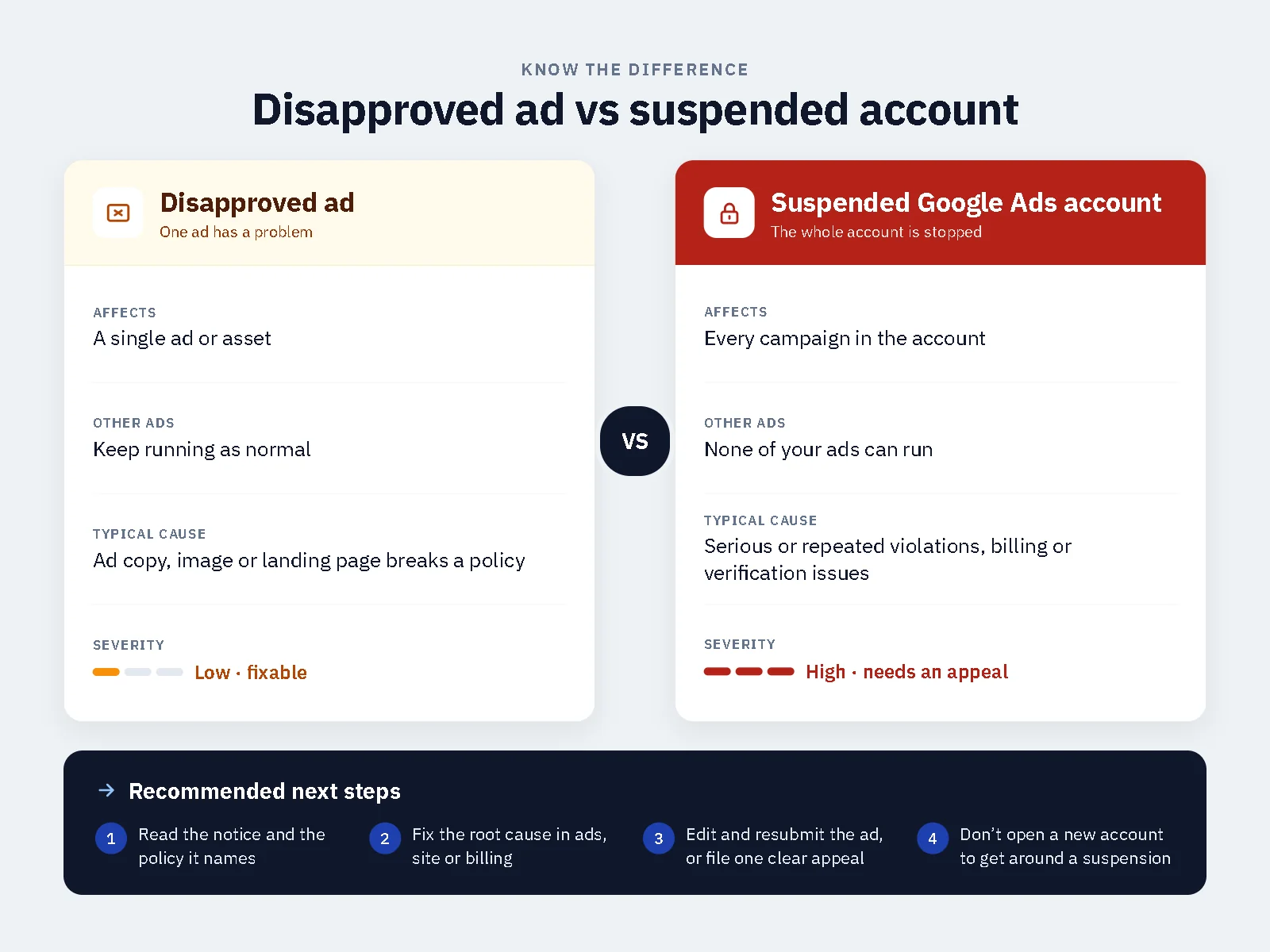
A disapproved ad and a suspended Google Ads account are not the same issue.
| Issue | What It Usually Means | Recommended Next Step |
|---|---|---|
| Ad disapproved | A specific ad, creative, text element, targeting choice, or landing page triggered a policy concern | Review the disapproval message, correct the relevant asset, then request another review if appropriate |
| Campaign not delivering | Budget, audience size, learning phase, creative quality, or a policy issue may be limiting delivery | Review campaign diagnostics, targeting, creative, landing page, and account notifications |
| Account restricted | Google has identified a broader advertising or account-integrity concern | Review account history, business details, billing, domains, and policy warnings |
| Account suspended | Google has suspended the account because of policy violations or account-integrity concerns | Secure access, review account history, gather relevant information, and submit an appeal |
Google explains that policy-related suspensions can be appealed after the advertiser understands the violated policy and fixes the violations in the account. (Google: Google Ads account suspensions overview, Appeal a policy-related suspension)
What to Do After a Google Ad Is Disapproved
Correct the Relevant Asset
Based on your review, change the element most likely to have caused the issue.
Examples:
- Replace exaggerated claims with accurate wording
- Remove personal-attribute language
- Fix broken links
- Improve mobile usability
- Add missing legal pages
- Make the landing page match the ad
- Correct display URL and final URL mismatch
- Adjust targeting if the offer is restricted in a selected country
Request Another Review
If you believe the ad was incorrectly disapproved, you can appeal the policy decision directly from your Google Ads account. Google says advertisers can select the disapproved status, choose an appeal reason, and submit the appeal. (Google: Submit a campaign for policy review)
Avoid Repeated Resubmissions
Do not submit the same ad again and again without changes. Repeated resubmissions can waste time and may increase account risk.
Instead:
- Identify the likely issue
- Make one clear correction
- Test a revised version
- Keep a record of the disapproval message and the changes made
How to Appeal a Google Ads Disapproval
Follow these steps:
- Open Google Ads.
- Find the disapproved ad or campaign.
- Read the policy reason.
- Correct the relevant creative, landing page, targeting, or account issue.
- Hover over the “Disapproved” status.
- Select “Appeal.”
- Choose “Dispute decision” or “Made changes to comply with policy.”
- Select the ads you want to appeal.
- Submit the appeal.
- Wait for Google’s decision before making further changes.
Google says that after it confirms the ads and destination are compliant, it can approve the ads. (Google: Submit a campaign for policy review)
How to Prevent Future Google Ads Disapprovals
Use this checklist before launching a campaign:
- Review ad copy for exaggerated or unsupported claims
- Remove personal-attribute language
- Check whether the product is restricted in the target country
- Test the landing page on mobile
- Confirm that the ad message matches the landing page
- Add clear business and contact information
- Review privacy, terms, refund, and shipping pages
- Check that forms, buttons, and links work
- Review targeting, age, and country settings
- Monitor account notifications and policy warnings
- Keep records of campaign assets, approvals, and changes
When to Get Professional Google Ads Support
Some businesses can fix a disapproval internally. Others need a structured review, especially when they operate in restricted industries or repeatedly face policy issues.
Professional support can help with:
- Campaign-readiness review
- Creative and copy review
- Landing-page transparency review
- Business and domain readiness review
- Target-country and eligibility review
- Disapproval-message analysis
- Prioritized next steps
If you need help reviewing a disapproved campaign, Black Ads Agency provides Google Ads approval and campaign-readiness support. We help businesses review visible campaign issues and prepare clearer, more consistent advertising assets.
Google makes the final approval decision, so no agency can guarantee approval, delivery, or account reinstatement.
Related reading: Why Are My Facebook Ads Rejected?
Google Ads Disapproved: FAQs
Why does Google disapprove ads without a clear reason?
Google may use a general policy message when its review system identifies a possible issue. Review the creative, landing page, targeting, account notifications, and product claims to identify the most likely cause.
Can I appeal a disapproved Google ad?
Yes. If you believe the ad was incorrectly disapproved, you can appeal the policy decision directly from your Google Ads account. Correct any visible issue first, then submit a clear and factual appeal.
Why was my Google ad disapproved because of the landing page?
The landing page may have been incomplete, slow, broken, misleading, inconsistent with the ad, or difficult to use on mobile. Review business identity, contact details, legal pages, product claims, and the overall user experience.
Does a disapproved Google ad mean my account will be suspended?
Not always. A disapproved ad usually relates to a specific campaign asset or setting. However, repeated policy issues can increase account risk, so correct the likely cause before resubmitting.
How long does Google Ads review take?
Review times can vary. Some ads are reviewed quickly, while others may take longer depending on the campaign, product category, destination page, and account context.
What should I do if my Google ad keeps getting disapproved?
Stop resubmitting the same version. Review the disapproval message, audit the creative and landing page, check targeting and account settings, make one clear correction, then test a revised version.
How can I prevent Google Ads disapprovals in the future?
Review your ads, keywords and landing pages against the Google Ads policies before launch, keep claims accurate and supported, make sure the destination works on mobile and matches the ad, and complete advertiser verification. Our landing page compliance checklist helps you check the destination.
Final Takeaway
Google Ads are usually disapproved because of one or more visible issues: misleading claims, destination mismatch, restricted products, poor landing pages, unclear business information, targeting restrictions, or account-quality signals.
Before resubmitting, review the disapproval message, audit the creative and landing page, check targeting and account settings, and correct the most likely issue. If the problem continues, a structured campaign review can help you identify avoidable risks before spending more budget.
For broader advertising support, explore our ads approval and campaign-readiness services.
Last updated: October 2026

About the Author
Black Ads AgencyBlack Ads Agency is a digital advertising agency helping businesses navigate restricted and high-risk advertising categories. The Black Ads Agency team focuses on paid campaign strategy, creative development, landing page optimization, account-recovery support, and helping advertisers understand advertising platform policies.
Our Services covers Google, Meta, TikTok, YouTube, Pinterest, and Snapchat advertising, with a focus on clearer campaigns, better landing pages, and reduced avoidable advertising risks.